Three Metrics. Total Control.
Select your analysis mode and see the truth hidden in your pixels.
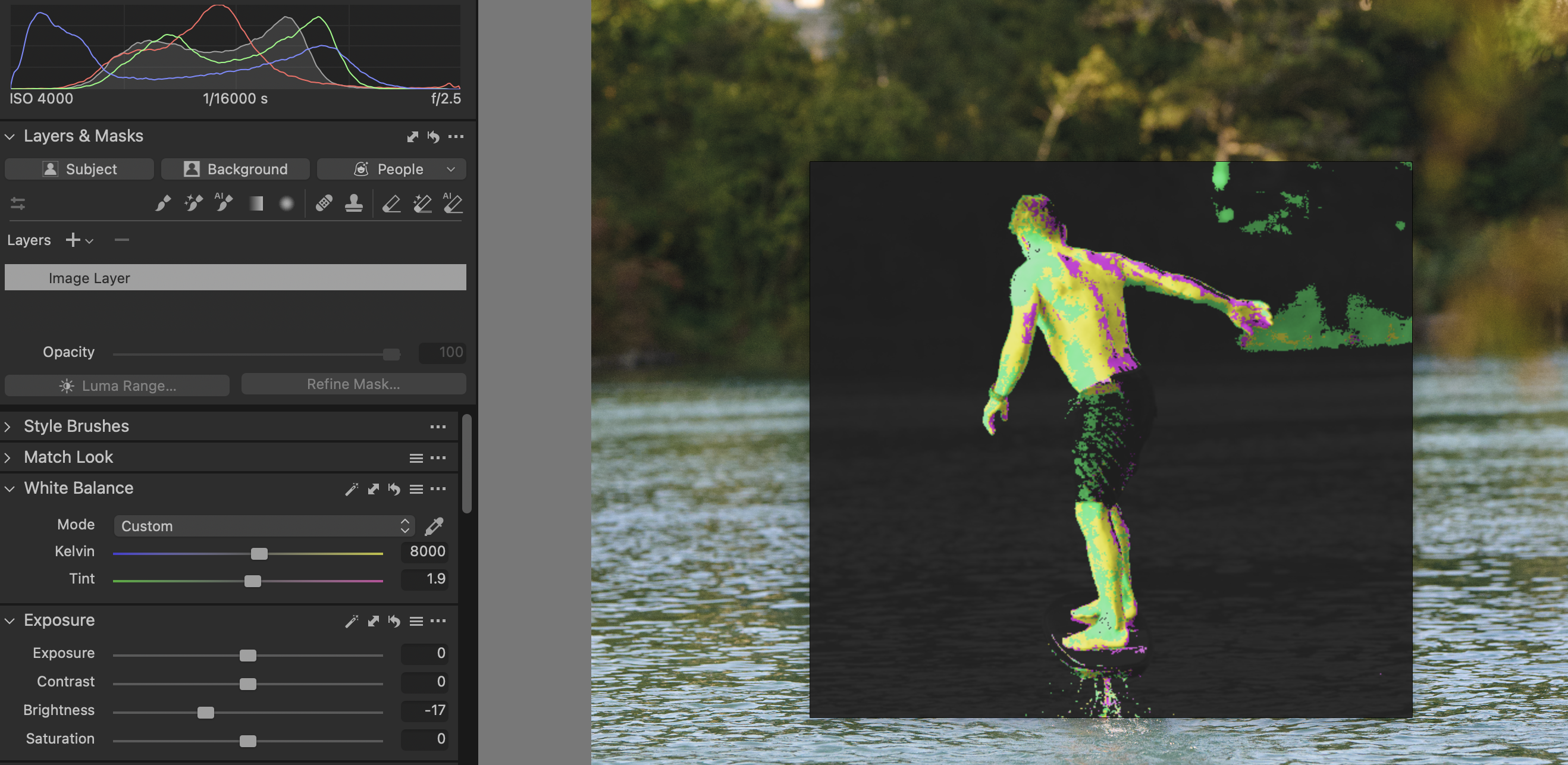
1. Skin Hue
Visualize the "Skin Tone Line" directly on the face. The overlay colorizes pixels to tell you exactly where your color has drifted.
Too Green/Yellow
Perfect Skin Tone
Too Red/Magenta
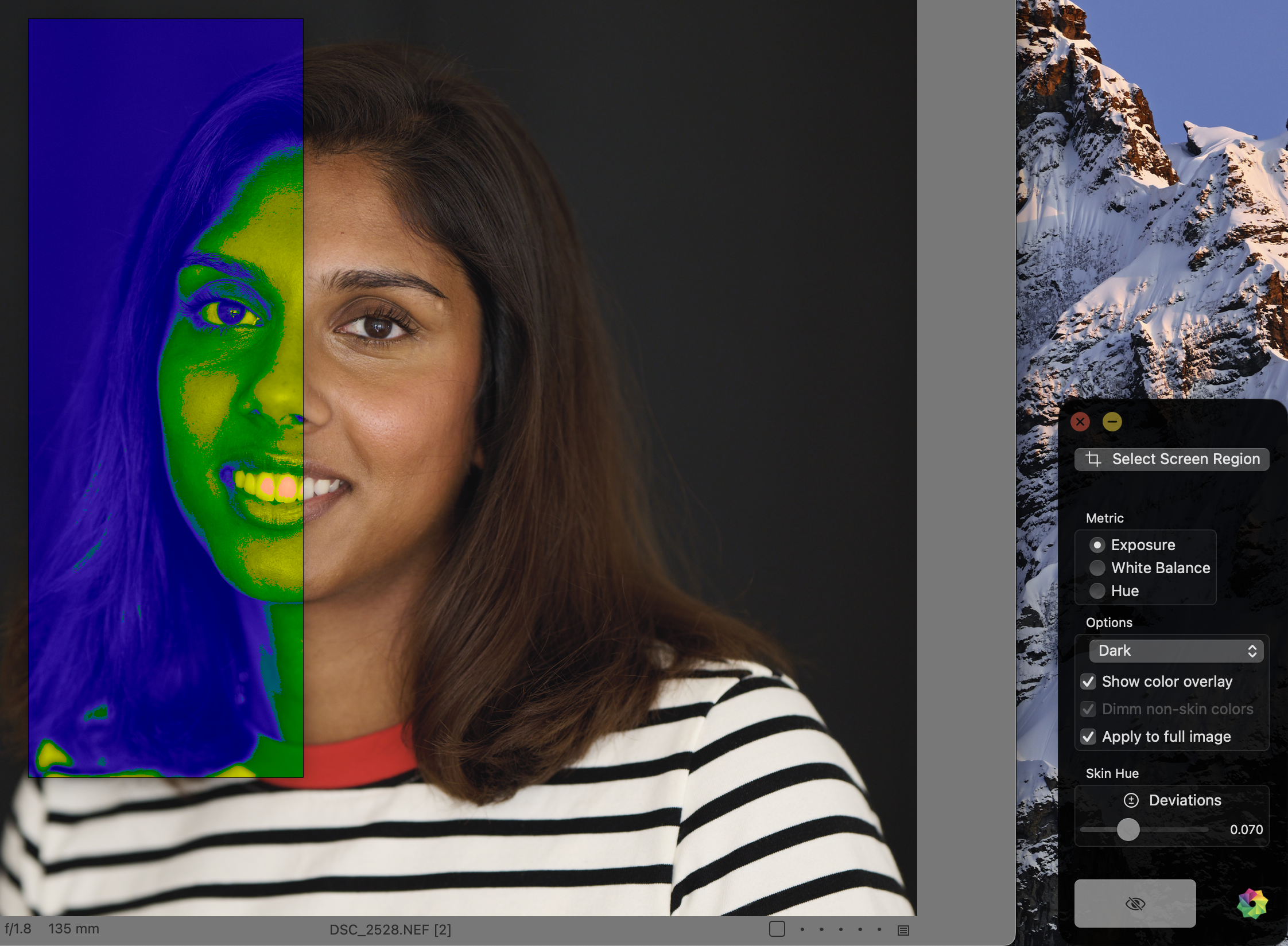
2. Exposure
A false-color zone system for skin brightness. Instantly see if your subject is underexposed, overexposed, or sitting in the sweet spot.
"Is the key light too bright? The overlay turns red. Is it too dark? It turns blue."
3. White Balance
Analyze neutral tones (blacks, whites, grays). The overlay ignores colorful pixels and highlights the temperature of your neutrals.